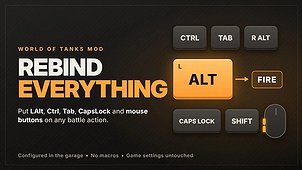
Bind ANY key to battle actions, including the keys the game settings refuse: Left Alt, Right Alt, Ctrl, Shift, Tab, CapsLock, the side mouse buttons (Mouse 4/5) and combinations such as Ctrl+F.
FEATURES
• All battle actions in one list: movement, Fire, auto-aim, sniper mode, camera, ammo and equipment slots, radial menu, chat commands, minimap, voice chat, spectator controls and more.
• Put Left Alt (or any other key) on Fire, Auto-aim, Sniper mode, a consumable – whatever you like.
• Move the two actions hard-coded in the game: the mouse cursor (always Ctrl) and full battle statistics (always Tab). The game’s Ctrl+Tab (player panel mode) keeps working.
• Replace or add: the old key either stops working or keeps working next to the new one – your choice.
• Key exclusivity: a key you bind loses its old function. Example: with Fire on LAlt, LAlt no longer shows extended vehicle markers, and you can move the markers to another key. If you give two actions the same shortcut, the one set last keeps it and the other is cleared – one press, one action.
• Ctrl/Alt/Shift combinations; left and right Alt/Ctrl/Shift are remembered separately.
• The key currently set in the game is shown next to every action.
• The ammo and equipment panel shows your new keys in battle.
• Set up in the garage (mod settings window). Changes apply from the next battle, no restart needed.
• Interface in English, or Polish when your game client is Polish.
SAFE BY DESIGN
• Your game control settings (preferences.xml) are never changed. Delete the mod file and the game is exactly as before.
• No macros, no automation, no new gameplay features: the mod only changes which key triggers an existing game action.
• Not obfuscated – the full source is plain readable text inside the mod file.
INCLUDED IN THE ARCHIVE (needed for the in-game settings window)
• ModsSettings API 1.7.1 by IzeBerg: https://github.com/izeberg/modssettingsapi
• Mods List API 1.8.0 by POLIROID: https://gitlab.com/wot-public-mods/mods-list
• OpenWG Gameface 1.2.2 (MIT): https://gitlab.com/openwg/wot.gameface
Thanks to their authors! Without them the mod still works – set your keys in mods/configs/rebind_everything/config.json.
TIPS
• Right-click a key field to clear it (the game’s own key is used again).
• The field shows ALT/CTRL/SHIFT without a side, but the mod remembers whether you pressed the left or the right key.
• LMB, RMB and MMB can be bound only in the config file.
• Ammo/equipment slots (1-0) always use the key set in the mod, even in “additional” mode.
• If you put Fire on Left Alt, Alt+Tab will also fire – like with any key bound to Fire.