|—————————————————————————————————————————–|
The mod is in open beta testing: bugs are possible, and they are fixed with every update.
|—————————————————————————————————————————–|
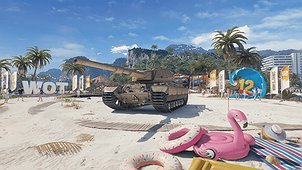
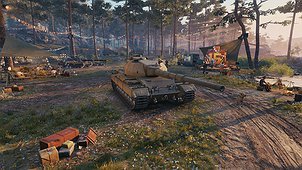
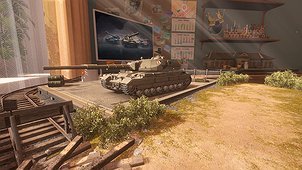
Hangar Studio continues the idea of HangMan, a mod that from 2020 let you turn any map into a hangar but stopped working after changes to the game. Hangar Studio brings this feature back and adds a full hangar catalog.
Features
• choose any built-in or mod-installed hangar;
• your own lists: Favorites and Trash;
• any game map as a hangar, with vehicle position and lighting settings.
Where to find it
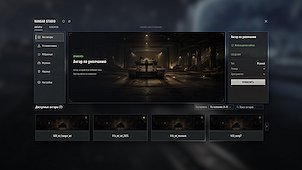
A mod list button appears in the hangar next to the notifications button, and Hangar Studio opens from it. If you already use another mod that adds a mod list, Hangar Studio joins it instead of adding a second button.
Hangar catalog
Scroll the strip of hangar previews with the arrows or the mouse wheel; search is at the top. Tabs: All hangars, Installed (added by mods), Game, Favorites and Trash (hides a hangar from the list without deleting its files). Any hangar can be renamed. Pick one, click Apply, done.
Any map as a hangar
1. Map: a list of all maps with previews and search; the current one is marked.
2. Spot: drag the vehicle on the minimap, change the zoom with the +/− buttons, and fine-tune it step by step along the X, Y and Z axes.
3. Pose: hull rotation, turret rotation and gun elevation. The mod handles vehicles with a fixed turret on its own.
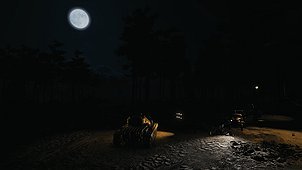
4. Light: the default lighting or another option, if the map has one.
The Drop to ground, Free camera and Reset buttons are always at hand. The preview appears instantly; to keep the setup, click Save. Position editor hides the game interface, so you can move the vehicle while looking at the real hangar.
Fullscreen mode
The studio expands to full screen while the hangar stays live in the background. The switch at the top toggles between Hangars and HangMan, and the map list opens in a side drawer.
Settings
Three window styles: windowed, fullscreen and compact with two themes. Language (Russian or English), animations, sounds, tips and the start tab. Searchable help opens from the round icon to the right of the mod name.
For hangar authors
To show your hangar in the catalog with a preview, put preview.png or preview.jpg into gui/maps/icons/hangars/<hangar space name>. See the built-in help for details.
Bugs and suggestions
Submit them to the GitHub tracker.
Attach python.log from the game’s root folder (next to WorldOfTanks.exe) to bug reports.