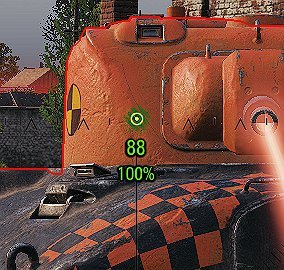
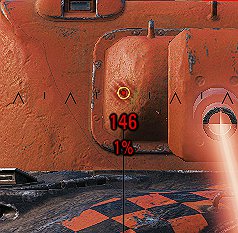
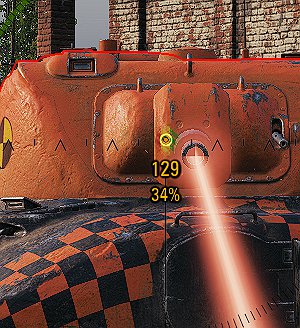
This mod displays the exact effective armor value and penetration probability of a tank you are aiming at.
How is this different from other effective armor mods found in modpacks?
They don’t compute and display the exact probability of penetrating. You would have to estimate this in the moment based on your shell’s penetration and their armor. This wastes crucial time and is very innacurate (especially since the distribution is not uniform).
What is the best way to use this mod?
Sometimes in battles, it is better to save your shot rather than taking a chance on an orange pen indicator. If you try to pen when you have a 20% chance, you will likely bounce and take a shot in return for nothing. Instead, it may be better to save your shot for a few seconds until you get a better opportunity.
Also, when aiming at a well armored tank, with this mod you can find the optimal spot to shoot that will maximize your chance of penning.
Features
Displays exact effective armor value following game mechanics
Shell-specific normalization
Ricochet angles
Gun caliber overmatching
Spaced armor
HEAT shell dissipation through spaced armor
Computes and displays probability of penetration
Tells you if a shot will be a ricochet
Great performance since the mod uses the calculatons already done by the game
Customize the mod to your liking by changing the config file
Config
You can change the display settings (text size, color, position) using the config file found in mods/configs/pademinune. To revert back to default settings, just delete the config file and when you restart the game, the default file will be created again.
*It does not work with HE shells yet as they have different mechanics.
Download from the Github repo for the most up to date version.
Installation
Download unzip-me.zip.
Put the zip file in your mods/x.x.x.x/ folder found in your local World of Tanks installation folder.
Unzip and extract the two .wotmod files into that folder.
Launch World of Tanks and the labels will appear when looking at an enemy tank.
Credits:
pademinune