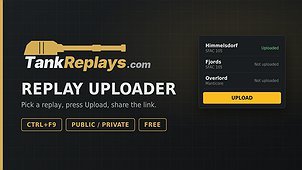
TankReplays – upload your battle replays to TankReplays.com
Pick any replay from your game’s replays folder and upload it to TankReplays.com in two clicks. The site shows a full battle breakdown and gives you a link you can share.
HOW TO USE
1. Press Ctrl+F9 in the garage (or use the TankReplays entry in the mods list, if you have the ModsList API installed).
2. Pick a replay. Details are shown right in the window.
3. Choose Public or Private, add an optional note, then press Upload.
FEATURES
• Replay list with map, date, vehicle, damage, assist, kills and blocked damage
• Sort by any column and search by vehicle or map
• Vehicle names in your game language
• Battle details with both teams
• “Not uploaded / Uploaded” status for every replay
• Public or Private uploads (private replays can only be opened by you)
• “Show in folder” and “Open on tankreplays.com” buttons
• Optional: link the mod to your Google account on tankreplays.com to manage your replays and see the linked mod on the site
PRIVACY
• Nothing is uploaded automatically. A replay is sent only when you press Upload.
• The mod creates a random install key, stored in mods/configs/tankreplays/install_key.txt. The site stores only a hash of it.
• To show the mod in your account, the mod sends your current WoT nickname to the site. It is shown only to you on your account page.
• Uploaded replays contain the nicknames and results of all players in that battle, like any replay file.
• Delete the mod folder and config files any time; unlink the mod in the mod window or on tankreplays.com.
LIMITS
• One upload every 10 seconds.
• Daily upload limits apply (higher when the mod is linked to your account). The mod shows the reason and the waiting time when you reach a limit.
NOTES
• The mod is free. It contains no advertising and gives no in-game advantage. It only works with finished battles’ replay files.
• It reads only the replays folder and its own config folder. No other files are touched.
• Website: https://tankreplays.com