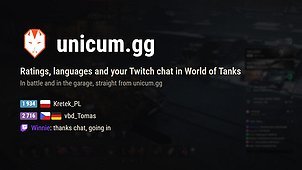
Player ratings and language flags across the game, straight from unicum.gg, and your Twitch chat in battle and in the garage.
In battle
- Each player’s rating (WN7, WN8 or WNx, overall or last 30 days) and the flags of the languages their clan speaks: in the players panel, the Tab screen, the loading screen and by the names above vehicles.
- Team averages on the Tab and loading screens.
- Per battle mode, choose whose ratings you see: allies, enemies, or both.
- Optionally, per screen: show ratings only while Alt is held.
- Optionally (off by default), announce your own reload in the team chat after a shot, as F8 does.
Battle results
- Both teams’ ratings and language flags beside the results table, outside the rows, so no name is cut shorter.
- Each team’s average rating on its header line.
In the garage
- Ratings and flags in the contacts list, profile windows, skirmish rooms and the Stronghold detachment list.
- A unicum.gg button in the vehicle menu: the tank’s page, its marks, history and videos, your current build.
- A unicum.gg card under the mission cards to link your account, and a Twitch chat panel you can move, resize, fold or close.
Twitch (for streamers)
- Your Twitch chat, with its badges, in the battle chat and in the garage panel.
- Write in your Twitch chat from the game: the battle chat’s TO TWITCH channel (Tab), a message starting with !t, or the garage panel.
What the mod sends, and to whom
- To unicum.gg: the account ids and clan tags of the players on your screen, to get their ratings and languages, and your nickname, to find the Twitch channel linked to it.
- How you have set your own tanks up, which is what puts a loadout on your own unicum.gg page: equipment, directives, crew skills, field modifications, ammunition and consumables, for every vehicle in your garage. On by default, because those setups are what lets the site say how a tank is really played, and the mod is free with no ads. Untick Share my loadouts to stop, and everything already sent is deleted. Supporters can keep theirs off their public page.
- Linking your account (Connect) is optional. It opens your own browser and signs you in with the game’s Wargaming web sign-in; that token goes from the game to Wargaming only, never to unicum.gg. The game then keeps a random key in mods/configs/unicum/account.json, which only lets it see which account it is linked to and write in your own Twitch chat.
- The Twitch chat is read anonymously from Twitch. Messages you write go through unicum.gg with the Twitch permission you granted, which you can revoke in your Twitch settings.
- If you have the Mod Error Reporter installed, this mod hands it the errors it catches, so they reach its dashboard. Without it, nothing is sent and nothing changes.
Fair play
Public statistics and your own reload only: nothing about enemy positions, reload timers or anything the game hides.