IMPORTANT: Join WoT InfoCord (my WoT Info/News Discord Server) for update notifications (usually on patch days), complete changelogs, sneak peaks and more!
Likewise, any comments, questions, bug reports, etc. should be posted to the #modding-discussion channel in the WoT Infocord Discord server, since the comments section on WGmods is non-functional.
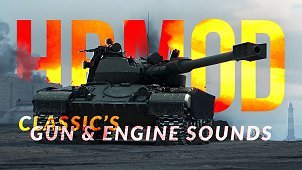
This is Classic’s ZorGnome HRMOD — the continuation of Zorgane’s update to the original Gnomefather’s Historical Realism Engine/Gun Sounds mod. This mod adds hundreds of new gun/engine/reload sounds to the game, an over-tenfold expansion compared to the default sound roster. Engine sounds have been sourced/recreated from real-world examples wherever possible, while gun sounds aim to strike a balance between realism and variety/player enjoyment (i.e., they lean towards uniqueness from each other based on their calibre/type, rather than monotony for the sake of “pure realism”).
Over 150 new sound sets have been added since Zorgane’s version was last updated (cca. November 2020), along with support for all new vehicles added since then, expansion of engines to other players’ vehicles, extensive improvements/tweaks/fixes, and more.
Big thanks to Zorgane for passing the torch (+ providing me with the project files), as well as assistance from Shimada_Sama, documentation on the WoT/KoreanRandom forums/Wwise’s website, help from Nocac with integrating some of the game’s stock sounds–and Gnomefather for his original sound mod, of course.
Mod info
Volume is controlled separately for guns and engines from within the game’s sound settings menu.
RECOMMENDED SETTINGS:
Vehicles: ~80-100%
Effects: ~60-80% (suggested to be around ~20% lower than the “vehicles” slider)

IMPORTANT: In case the mod does not function after an update
Assuming the mod has been installed correctly, you will be prompted to restart your game on the first startup with the mod enabled. This causes the following file to generate automatically:
- C:GamesWorld_of_Tanksres_mods<CURRENT GAME VERSION NUMBER>engine_config.xml
If you experience issues with sounds after installing a new update, deleting this file and starting up the game again + following the popup instructions (click shutdown/restart) will cause this file to refresh, which should solve some issues.
IMPORTANT: In case reload sounds do not function after an update
Due to the new caching feature introduced in Update 1.27.1, modded reload sounds will sometimes fail to play in-game, even if installed correctly.
If modded reload sounds stop functioning in-game (assuming you have installed the mod correctly):
- Go to your WoT install directory (by default: C:GamesWorld_of_Tanks_EU)
- Delete the “data.wgpdc” file (may be displayed without file extension, i.e. just a file named “data”).
Alternatively, performing the “Check and Repair” function in WGC (under Game Settings) will also clear the game cache.